index
The T-Deck series is a family of compact handheld keyboard devices that pair a physical keyboard with different touchscreen displays. Variants include the original LCD T-Deck (and Plus) with support for MUI, and the new T-Deck Pro e-ink model for low-power, sunlight-readable operation.
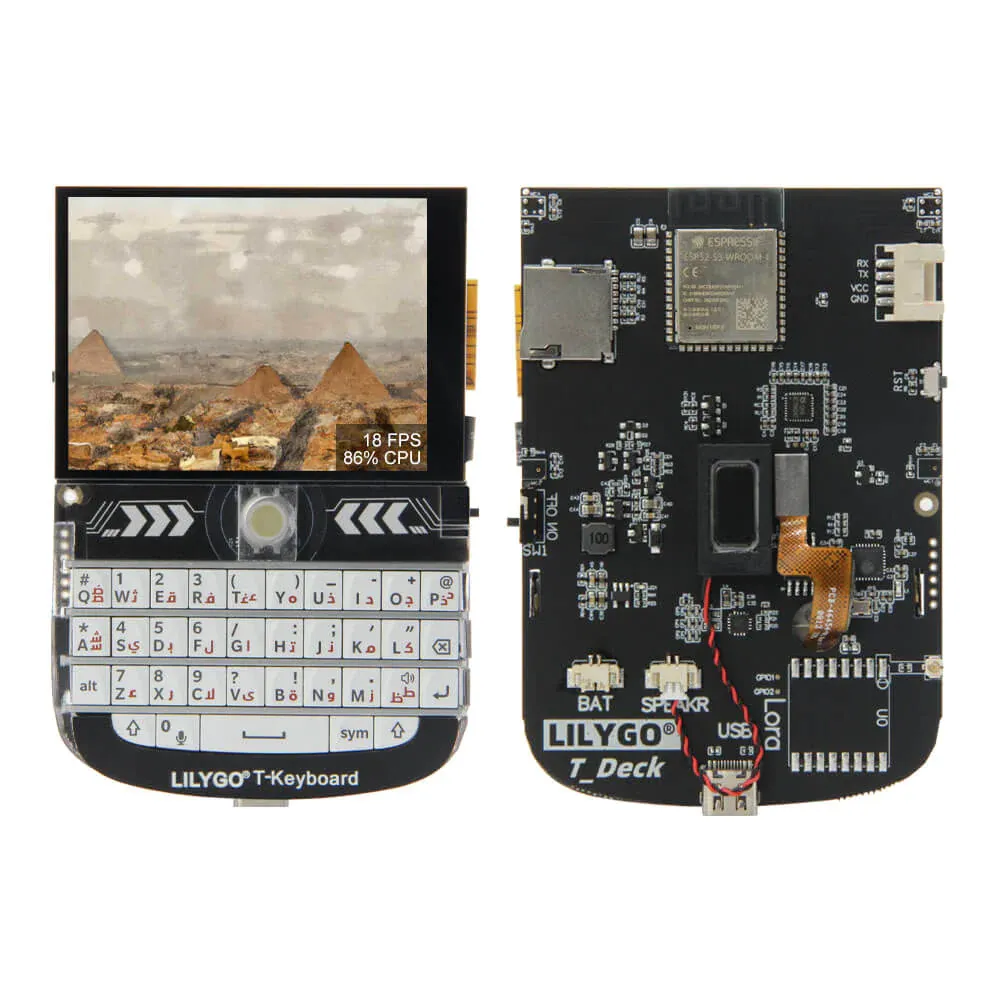
The T-Deck is a compact device featuring a 2.8-inch IPS LCD touch screen with a resolution of 320x240 pixels, integrated with a small keyboard, trackball, microphone and speaker running on an ESP32-S3 dual-core processor. A secondary ESP32-C3 MCU is used to manage the keyboard.
T-Deck Plus variant also comes with a GPS module and a 2000 mAh battery
Specifications
- MCU
- ESP32-S3FN16R8 (WiFi & Bluetooth 5 LE)
- ESP32-C3 (For keyboard only)
- LoRa Transceiver
- Semtech SX1262
- Frequency options
- 915 MHz
- 868 MHz
- 433 MHz
- Antenna
- U.FL/IPEX antenna connector for LoRa
- Connectors
- USB-C
Features
- LILYGO® backlit T-Keyboard
- Trackball
- 2.8 inch ST7789 SPI Interface IPS LCD (Resolution: 320 x 240)
- I2S Speaker/Microphone
Keyboard Shortcuts
| Shortcut | Function |
|---|---|
alt & b |
Toggle keyboard backlight on/off. |
alt & c |
Toggle modifier function. Fn displayed on screen. |
alt & c + m |
Disable/Enable notifications. |
alt & c + q |
Quit/Cancel (message, canned message, etc.) |
alt & c + t |
Tab Key (once for dm recipient, twice for channel) |
alt & c + i |
Decrease screen brightness. |
alt & c + o |
Increase screen brightness. |
alt & c + g |
Toggle GPS. |
alt & c + ⎵ |
Send network ping. |
As of firmware version 2.3.9, there is a newly added modifier function key combo which allows additional shortcuts to be added. To enable the function key, you will press alt and c together; a small Fn will be displayed in the lower right of the screen. After the function key is enabled, you can press the key for the function you wish to execute. For example, to disable/enable notifications, you would press alt and c followed by m.
Flashing
To flash ESP32-S3 devices like the T-Deck, you typically need to place them in Espressif's firmware download mode. Use the "1200bps reset" button in the web flasher to do this. If this method does not work for any reason, you can follow the manual process below.
:::warning
Do not proceed unless an antenna is connected to avoid possible damage to the device's radio.
:::
The following process will manually place the device into the Espressif Firmware Download mode:
- Ensure the device's power switch is toggled OFF.
- Press and hold the TRACKBALL.
- Toggle device's power switch ON.
- After 2-3 seconds, release the TRACKBALL button.
- If the device screen is black and the backlight is off, the device is in the Firmware Download mode. If the backlight is on, repeat these steps.
With the device now in the Espressif Firmware Download mode, you can proceed with flashing using one of the supported flashing methods. It's generally recommended to use the Web Flasher. You can select "T Deck" from the device drop-down.
Resources
- Firmware file:
firmware-t-deck-X.X.X.xxxxxxx.bin - Purchase Links:
- US
- International
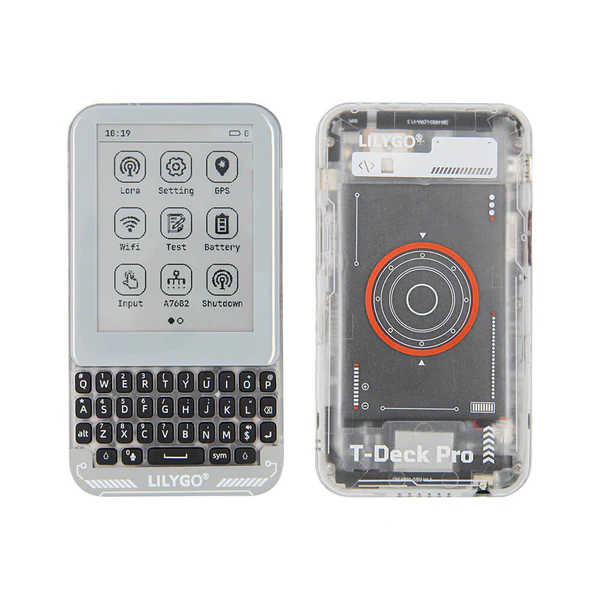
The T-Deck Pro is a compact handheld device that pairs a 3.1 inch e-ink touchscreen with a physical keyboard, microphone, speaker, integrated 1400 mAH battery in a sleek case. It is available in two main variants: A7682E (4G) and PCM5102A (Voice).
Specifications
- MCU
- ESP32-S3FN16R8 (WiFi & Bluetooth 5 LE)
- LoRa Transceiver
- Semtech SX1262
- Frequency options
- 915 MHz
- 868 MHz
- 433 MHz
- 920 MHz
- Antenna
- Integrated PCB antenna for LoRa
- Connectors
- USB-C
- 3.5mm Audio Jack
- Qwiic connector
Features
- Complete device with integrated 1400 mAh battery in sleek case.
- I2S Speaker/Microphone with optional 3.5mm Audio Jack
Resources
- Firmware file:
firmware-t-deck-pro-X.X.X.xxxxxxx.bin - Purchase Links:
- International