About About / Overview About / Overview / Encryption Blocks Community Community / Enclosures Community / Enclosures / Rak Community / Software Configuration Configuration / Module Configuration / Radio Development Development / Device Development / Documentation Development / Documentation / Style Guides Development / Firmware Development / Js Development / Python Development / Reference Development / Web Getting Started Getting Started / Flashing Firmware / Esp32 Getting Started / Flashing Firmware / Nrf52 Getting Started / Serial Drivers Hardware / Antennas Hardware / Devices Hardware / Devices / B And Q Consulting Hardware / Devices / B And Q Consulting / Nano Hardware / Devices / B And Q Consulting / Station Series Hardware / Devices / Community Supported Hardware / Devices / Community Supported / B And Q Consulting Hardware / Devices / Community Supported / B And Q Consulting / Nano Hardware / Devices / Community Supported / B And Q Consulting / Station Series Hardware / Devices / Community Supported / Canary Hardware / Devices / Community Supported / Chatter Hardware / Devices / Community Supported / Heltec Automation Hardware / Devices / Community Supported / Heltec Automation / Sensor Hardware / Devices / Community Supported / Lilygo Hardware / Devices / Community Supported / Lilygo / Lora Hardware / Devices / Community Supported / Lilygo / Tbeam Hardware / Devices / Community Supported / Lilygo / Tlorac6 Hardware / Devices / Community Supported / Lilygo / Twatch Hardware / Devices / Community Supported / Rakwireless Hardware / Devices / Community Supported / Rakwireless / Wisblock Hardware / Devices / Community Supported / Seeed Studio Hardware / Devices / Community Supported / Seeed Studio / Wio Series Hardware / Devices / Community Supported / Unphone Hardware / Devices / Elecrow Hardware / Devices / Elecrow / Crowpanel Hardware / Devices / Elecrow / Thinknode Hardware / Devices / Heltec Automation Hardware / Devices / Heltec Automation / Lora32 Hardware / Devices / Heltec Automation / Mesh Node Hardware / Devices / Heltec Automation / Meshpocket Hardware / Devices / Heltec Automation / Vision Master Hardware / Devices / Lilygo Hardware / Devices / Lilygo / Lora Hardware / Devices / Lilygo / Tbeam Hardware / Devices / Lilygo / Tdeck Hardware / Devices / Lilygo / Techo Hardware / Devices / Linux Native Hardware Hardware / Devices / Openwrt Hardware / Devices / Rak Wireless Hardware / Devices / Rak Wireless / Wisblock Hardware / Devices / Rak Wireless / Wismesh Hardware / Devices / Raspberrypi Hardware / Devices / Raspberrypi / Pico Hardware / Devices / Seeed Studio Hardware / Devices / Seeed Studio / Sensecap Hardware / Devices / Seeed Studio / Wio Series Hardware / Solar Powered Legal Software Software / Android Software / Apple Software / Inkhud Software / Integrations Software / Integrations / Mqtt Software / Linux Software / Meshtasticator Software / Meshtasticui Software / Python Cli Software / Site Planner Terms 2024 / August 2024 / December 2024 / November 2024 / October 2024 / September 2025 / April 2025 / August 2025 / February 2025 / January 2025 / June 2025 / May 2025 / November 2025 / September C D E
buttons
Functionality
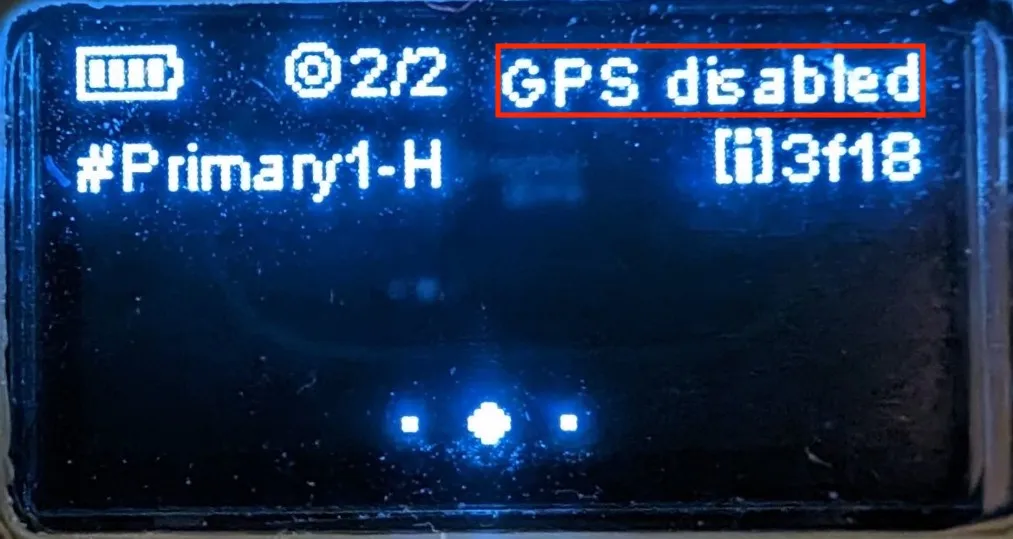
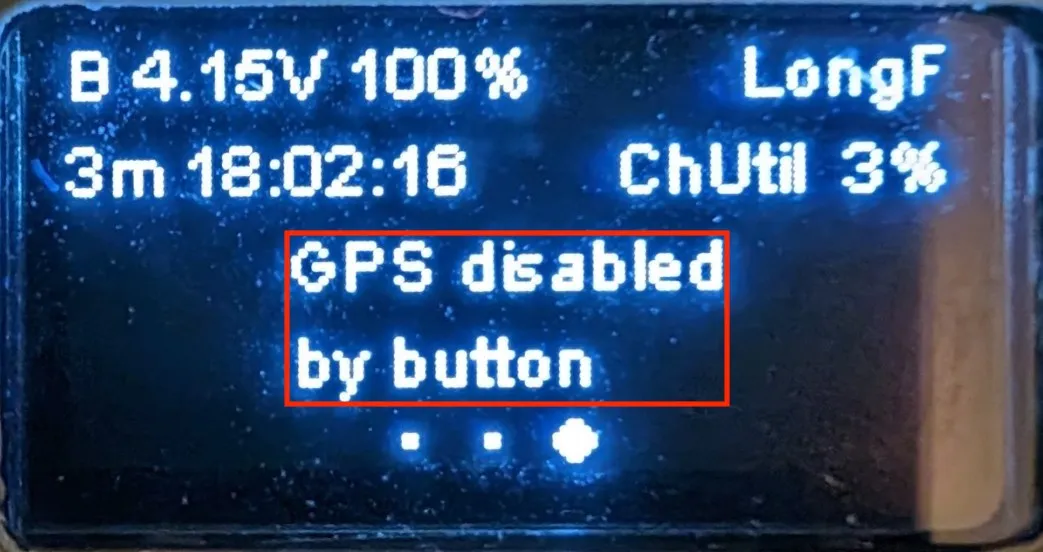
Power Button (left): Long press: Powers the device on or off.Reset Button (right): Single press: Resets the device.User/Program Button (middle): Long press: Will signal the device to shutdown after 5 seconds.Single press: Changes the information page displayed on the device's screen.Double press: Sends an adhoc ping of the device's position to the network.Triple press: Disables the device's GPS. Repeat to re-enable. (This will be indicated on both information screen pages on the device's display as shown below )
Functionality
Power Button (middle): Long press: Powers the device on or off.Reset Button (right): Single press: Resets the device.User/Program Button (left): Long press: Will signal the device to shutdown after 5 seconds.Single press: Changes the information page displayed on the device's screen.Double press: Sends an adhoc ping of the device's position to the network.Triple press: Disables the device's GPS. Repeat to re-enable. (This will be indicated on both information screen pages on the device's display as shown below )